Using
Suppose wsgi-proxy is listening 127.0.0.1:8888. You can set
it using --host and --port options:
$ wsgi-proxy --host 127.0.0.1 --port 8888
Mac OS X
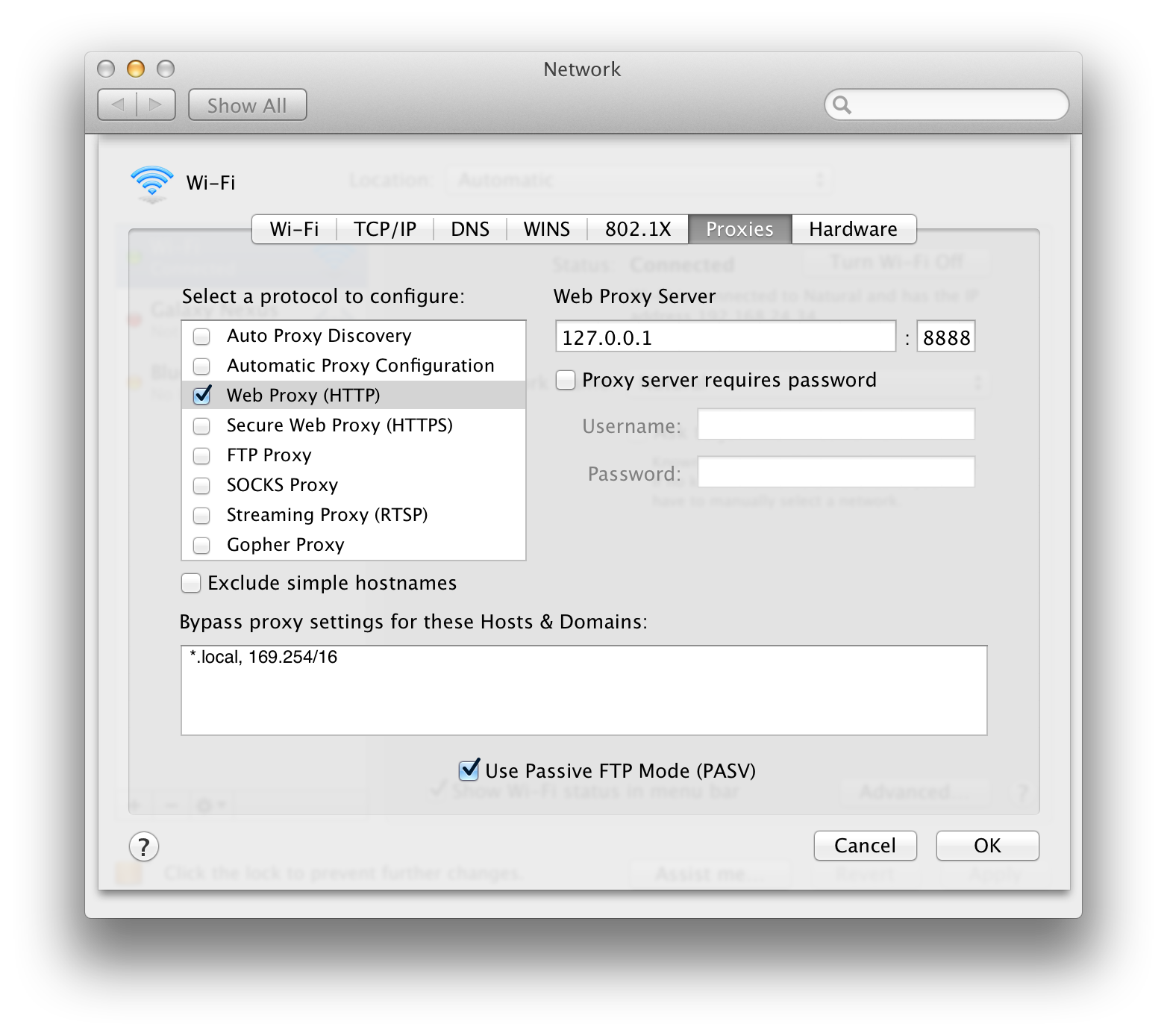
There is system-wide settings for HTTP proxy in Mac OS X. It affects to Safari and Google Chrome. You can find it on . Switch on Web Proxy (HTTP), and then fill host and port number of Web Proxy Server to 127.0.0.1 and 8888.
Mozilla Firefox
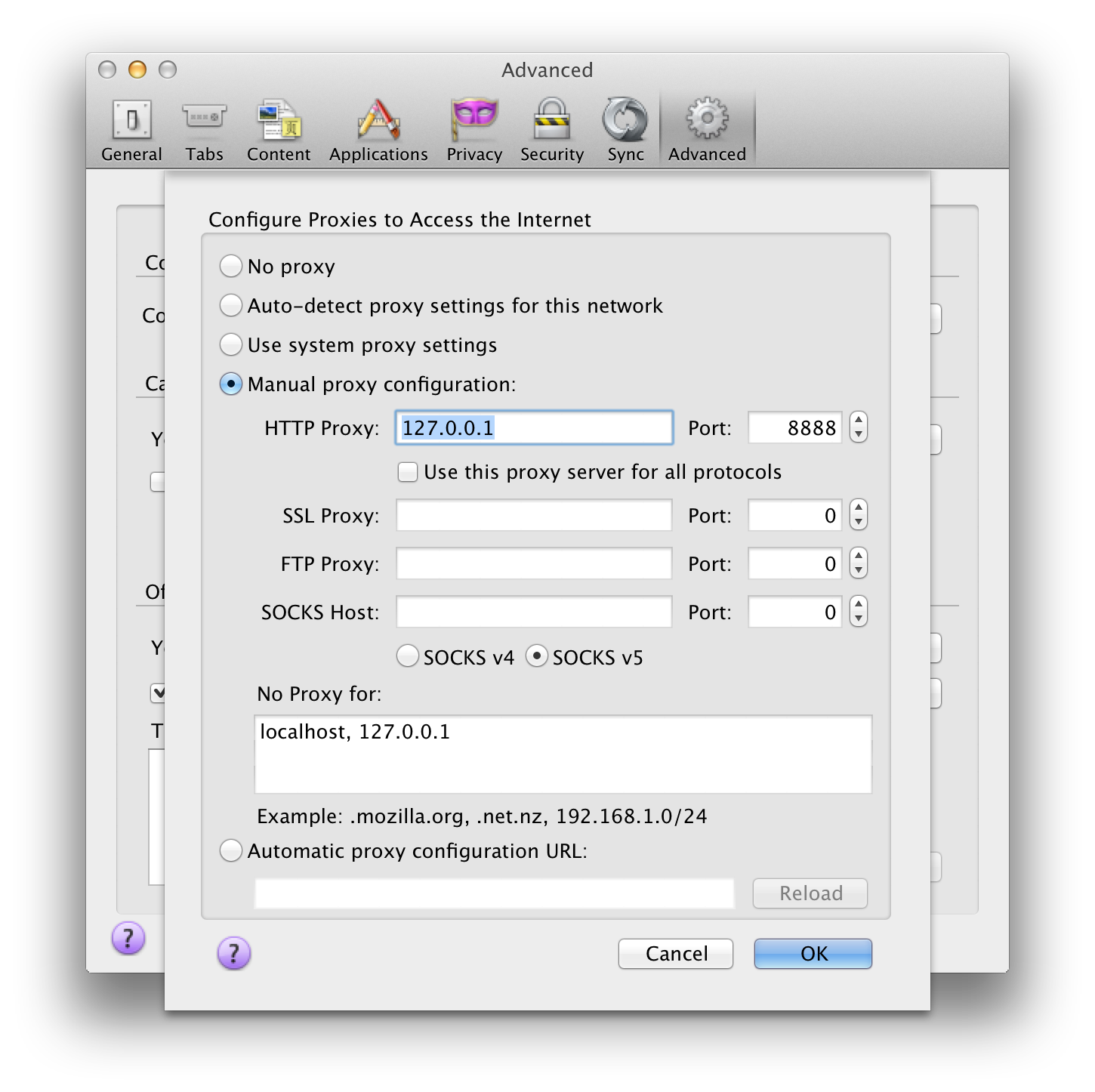
Firefox provides its own proxy settings. You can find it on . Choose Manual proxy configuration, and then fill HTTP Proxy to 127.0.0.1 and its Port to 8888.
Opera
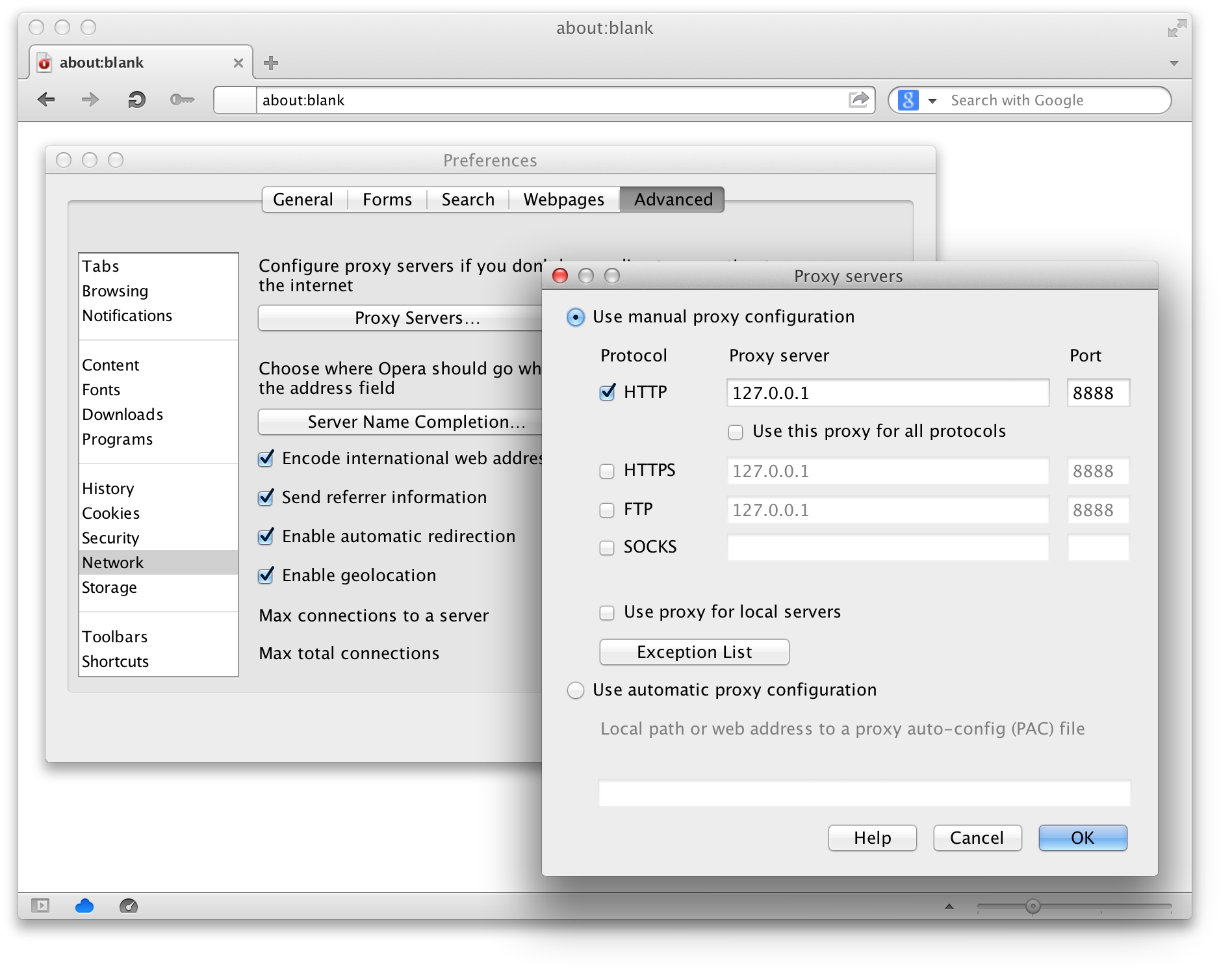
Opera provides its own proxy settings. You can find it on . Choose Use manual proxy configuration, and then fill Proxy server and Port of HTTP to 127.0.0.1 and 8888.
http_proxy
A lot of Unix utilities e.g. curl, wget and networking
libraries e.g. urllib2 respect http_proxy environment
variable.
$ http_proxy="127.0.0.1:8888" curl http://python.org/
$ http_proxy="127.0.0.1:8888" wget http://python.org/